Qorstack Report
 Qorstack Report
Templates in, documents out. Word/Excel templates plus data become PDF, Word or Excel through one API.
Design documents in Word or Excel, send JSON to one endpoint, and get a finished PDF, DOCX or XLSX back — self-hosted or in the cloud, with Node and .NET SDKs and an MCP server for AI agents.
- Generate PDF
- cURL · Node · .NET
- MCP
- output formats: PDF · DOCX · XLSX
- 3
- official SDKs: Node and .NET
- 2
- server so AI agents can render documents
- MCP
- renders certificates in a government e-service
- Gov
Most business systems have to produce documents, and the layout usually ends up hard-coded. Qorstack Report lets whoever knows Word own the layout — developers only send data.
Results
Jan → Nov 2026 · ~1,060 commits across 4 repos · formerly “Rendox” · v2.0 re-architecture in Oct 2026 Results
- 43 stars and 7 forks on GitHub
- SDKs on NuGet and npm, versioned with the server; one release pipeline to Docker Hub, NuGet and npm
- An MCP server with 5 tools so AI agents can render documents
- Renders real certificates inside a government e-service
- Customer-driven fixes, e.g. sign-in over plain HTTP on an intranet
What it does
Wire up the API in minutes
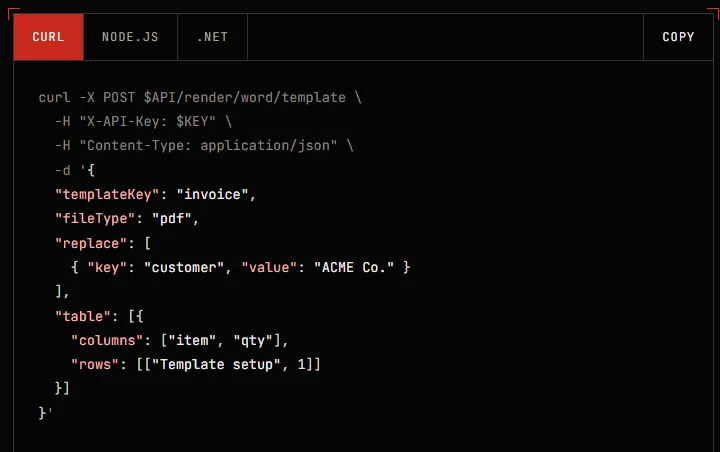
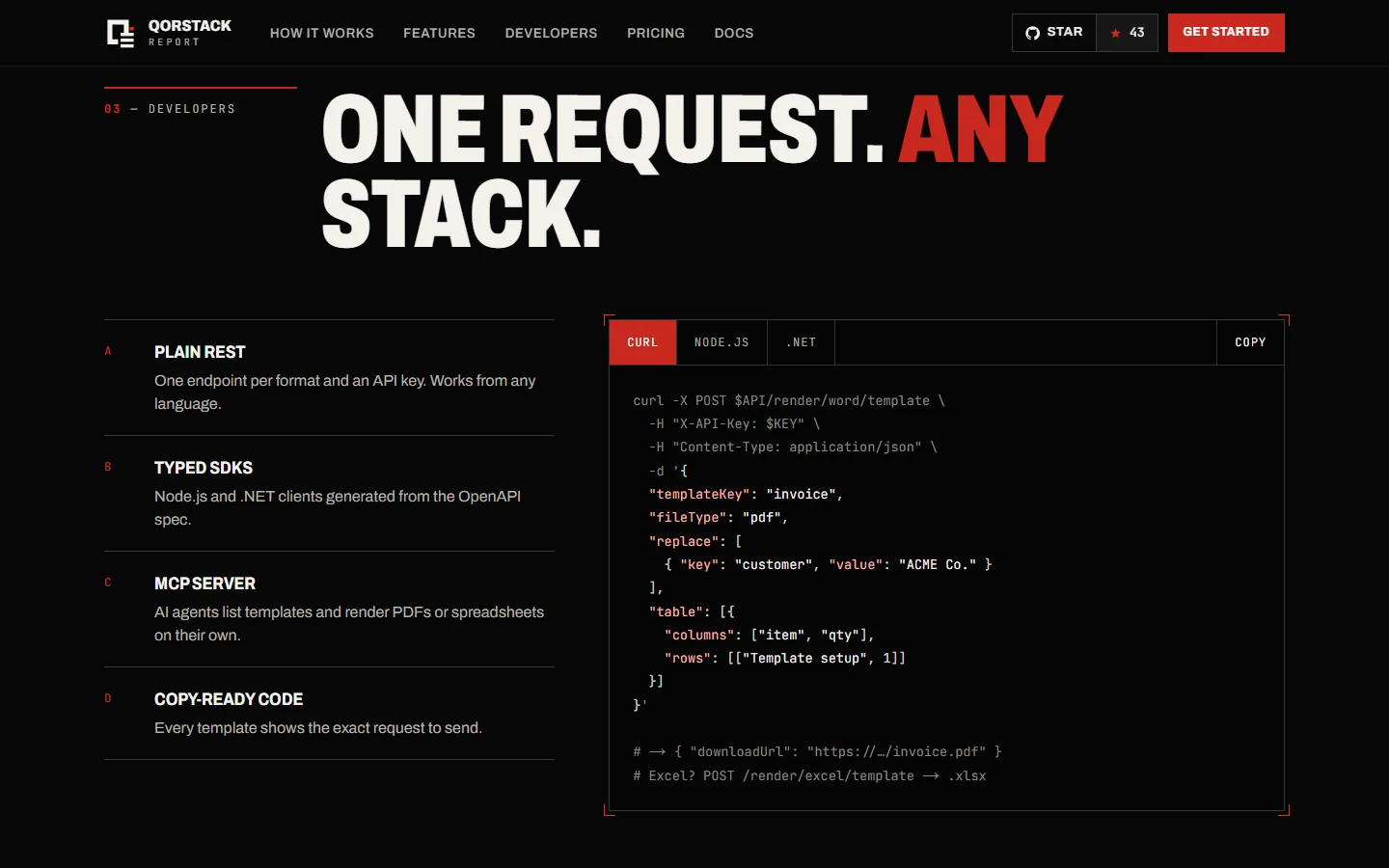
Every template comes with copy-ready code for cURL, Node.js and .NET: add your API key, send JSON, get the file back. Typed SDKs generated from the OpenAPI spec, and an MCP server for AI agents.
A generate page with a live preview
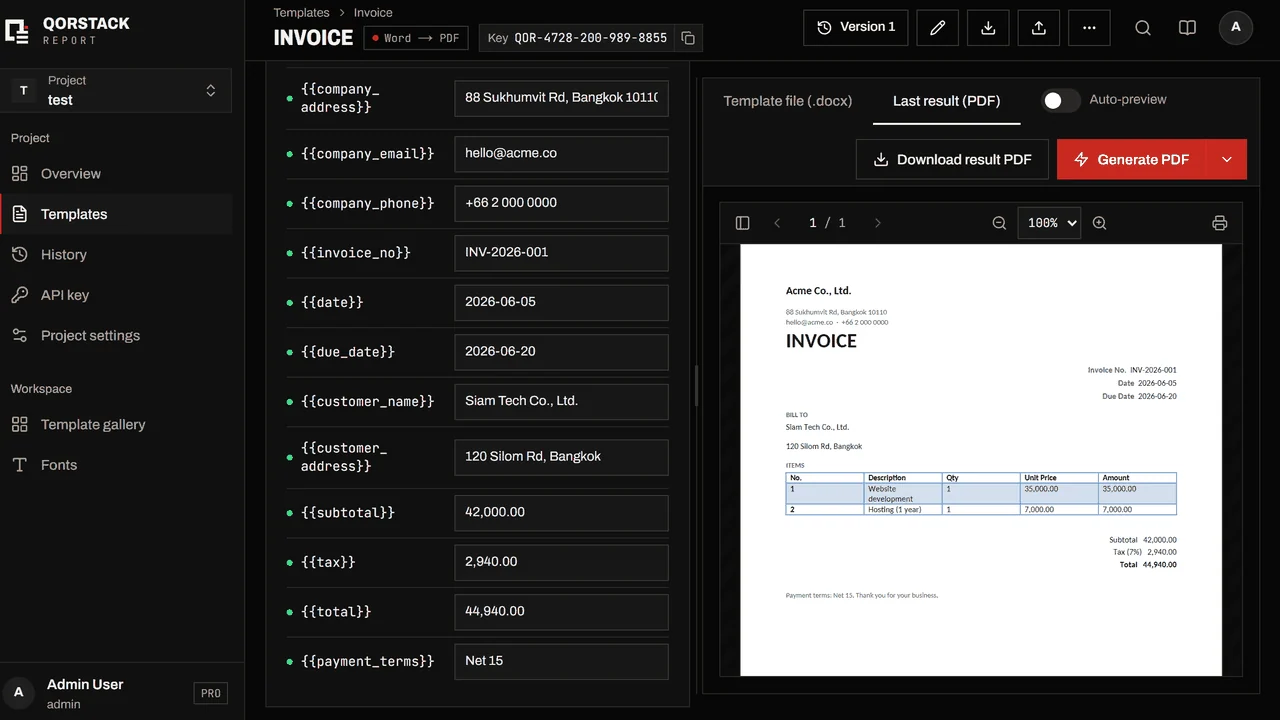
It reads the {{placeholders}} from your Word file, you fill in values, tables, images, QR codes and barcodes, press Generate PDF and see the result beside it — before writing a line of code.
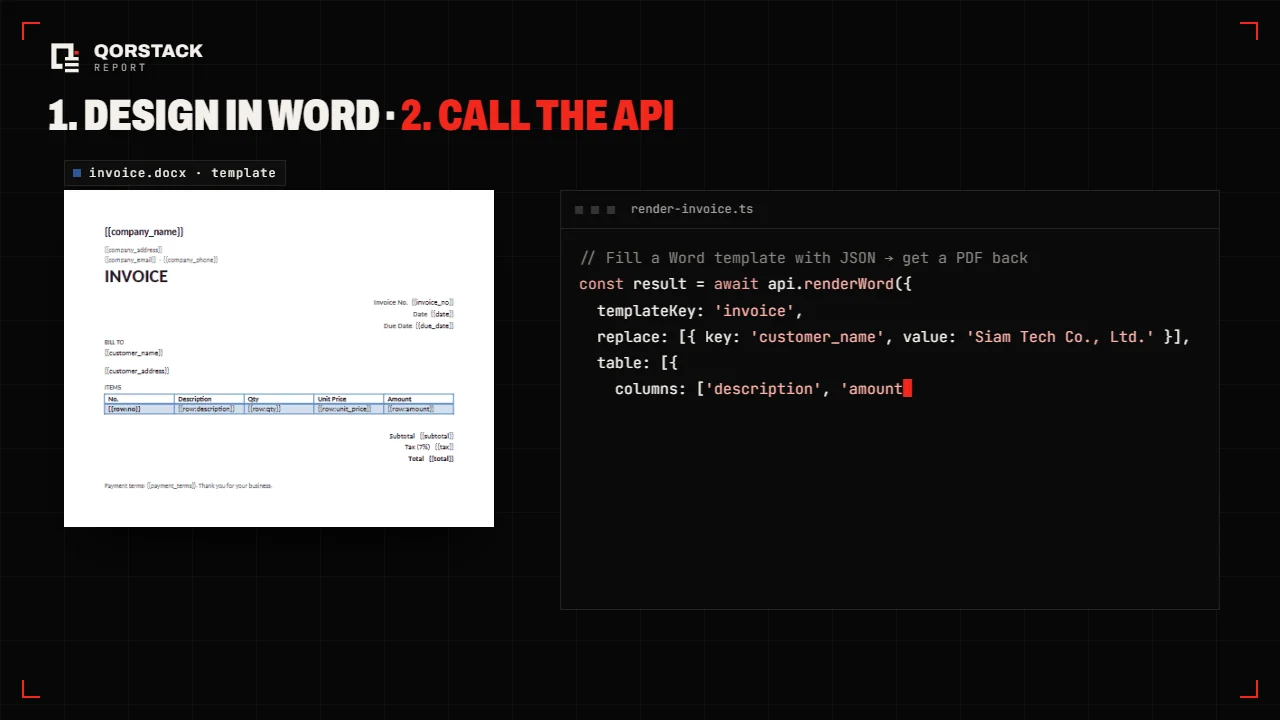
Design in Word, call the API, get the document
Templates are plain Word/Excel files, rendered with OpenXML/ClosedXML and converted through Gotenberg, so the output matches the original.
Self-host with one compose file
Documents stay in your network: any S3-compatible storage, API keys per project, and a history of every render.
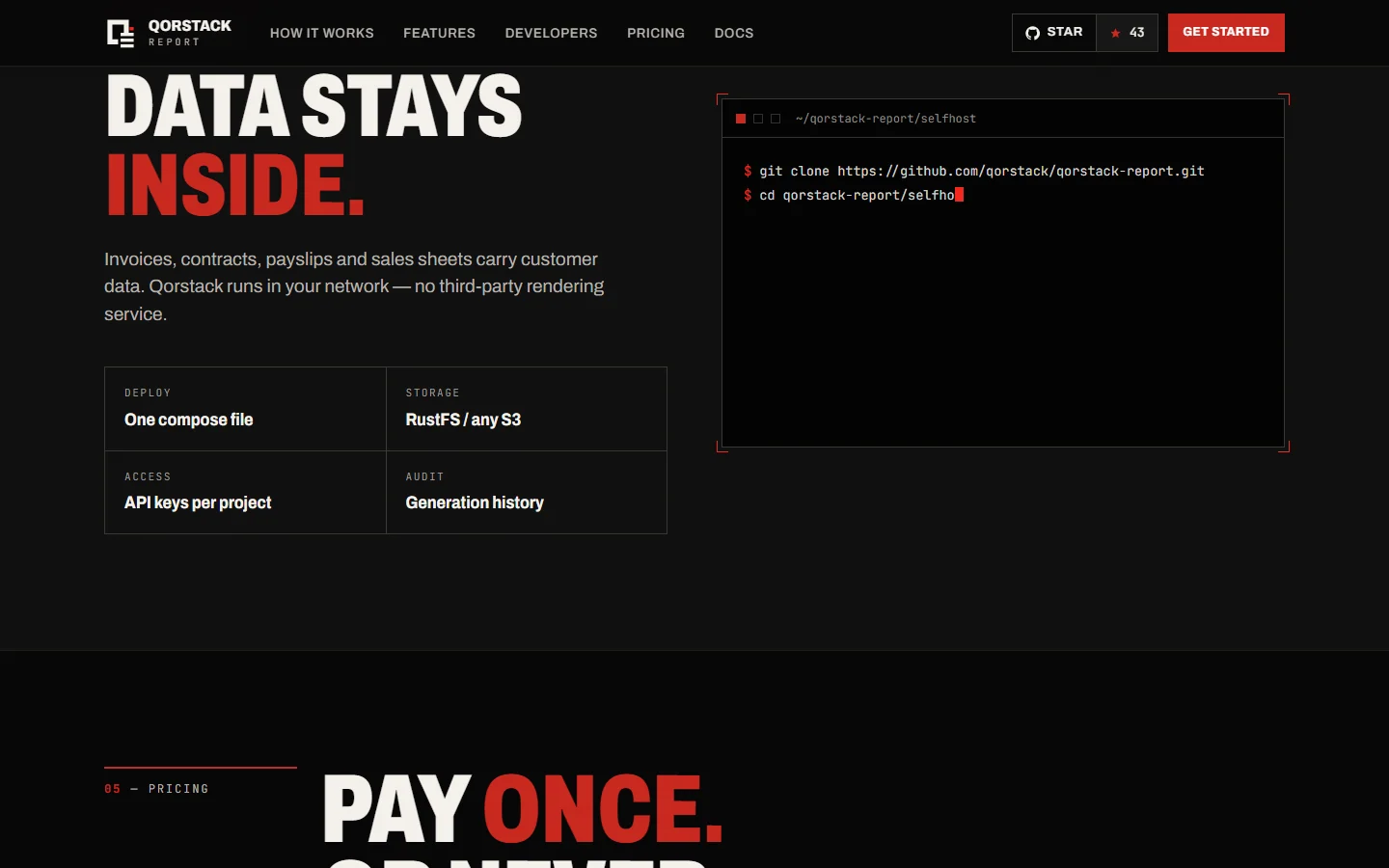
Big jobs run async
Call it synchronously or as a job with a signed webhook; download links are signed and time-limited, so S3 is never exposed.
Docs from day one
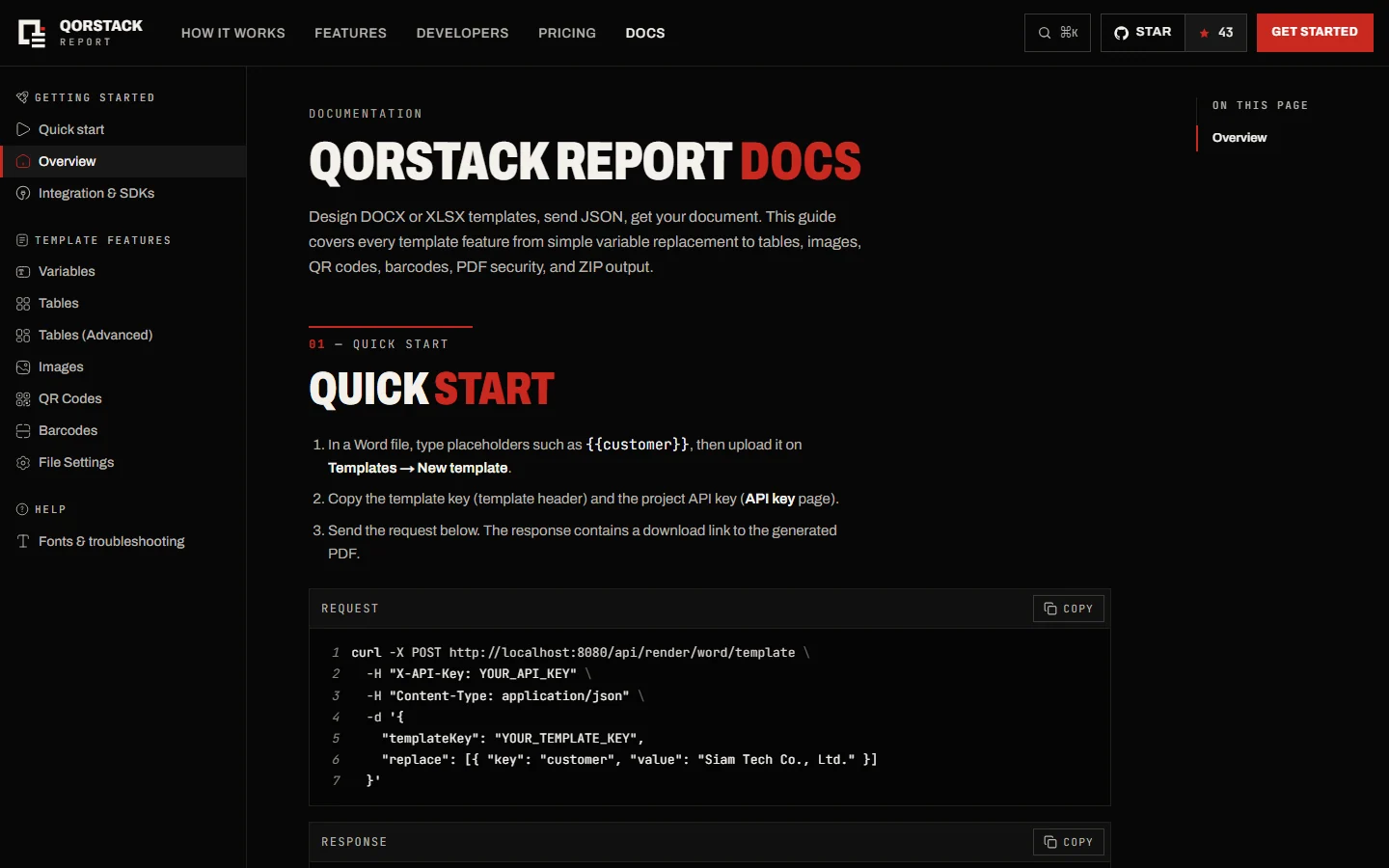
Quick start, variables, tables, images, QR codes, barcodes and file settings — each with a copy-ready request.
Screens
5 screens · click to enlarge Screens
What went wrong — and how I fixed it
 What went wrong — and how I fixed it
Real problems from the commit history, not a highlight reel.
- 01Problem
LibreOffice PDFs didn’t match Word, especially Thai: different line breaks, fallback fonts pushing text down, lost indents.
How I fixed itA generated WordFontMetrics table for Word’s line heights and glyph widths, compensation for thaiDistribute, and break points at Thai/Latin boundaries.
- 02Problem
PDF generation and uploads were slow.
How I fixed itDropped PDF/A-1b (2–3× slower), disabled Expect: 100-continue, and raised font-upload concurrency from 16 to 64.
- 03Problem
The async render queue had to survive restarts and scale out.
How I fixed itMoved the queue into PostgreSQL: FOR UPDATE SKIP LOCKED, LISTEN/NOTIFY, reclaimable leases after crashes, retries, and HMAC-signed webhooks.
- 04Problem
Blocking SSRF in image URLs broke self-hosted users on intranets.
How I fixed itReversed the decision: http(s) only with size and time limits, shipped as a patch release.
- 05Problem
The v1 → v2 re-architecture, and fresh upgrades failing with “column does not exist”.
How I fixed itOne image and port for web + API, one bucket, a user-run storage migration script, and migrations that run before workers start.
 How I fixed it
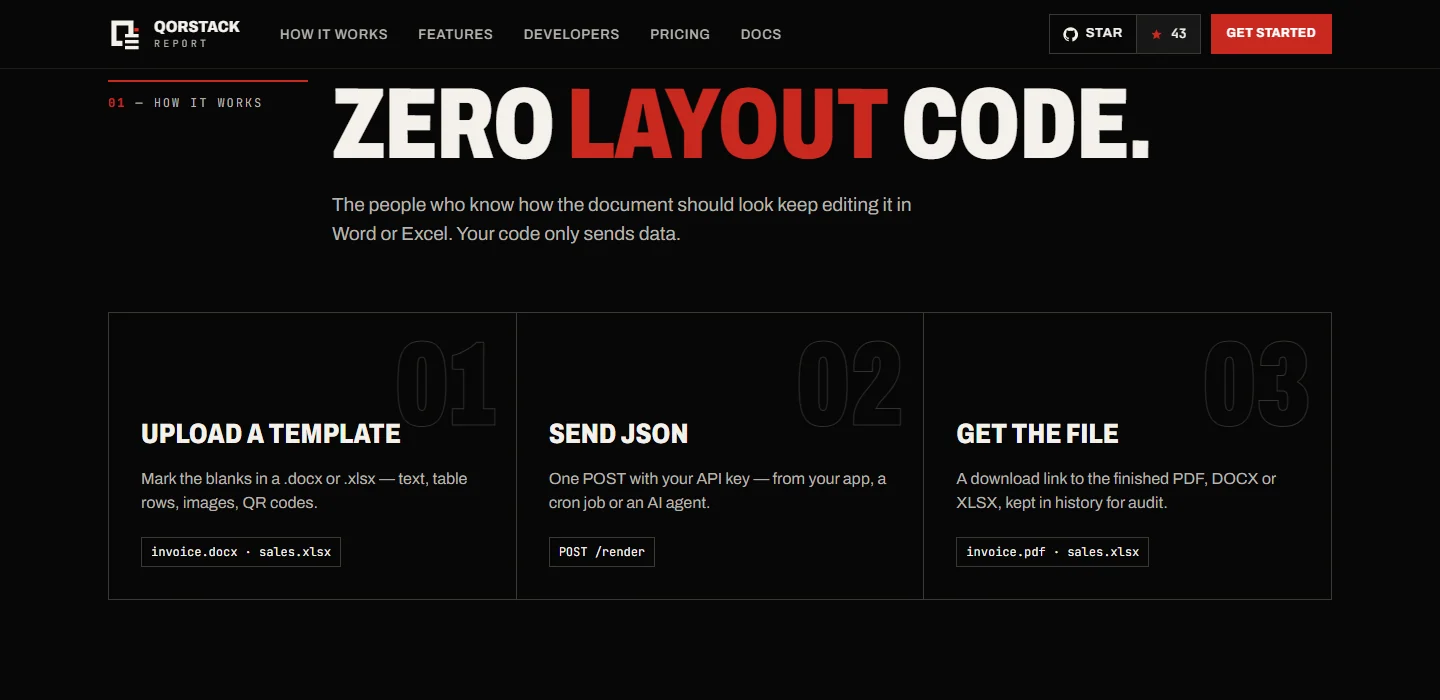
Template + JSON in. Document out.
- 01Upload a template made in Word or Excel
- 02Copy that template’s request into your app
- 03Send JSON over REST, an SDK or MCP
- 04Get a signed download link — or a webhook
- Role
- Solo — product, API, web app, SDKs and DevOps
- Stack
- .NET 10 · Clean Architecture · MediatR · EF Core · PostgreSQL · Gotenberg · S3 · Next.js 16
 Next product